|
[2] Import container status
|
|
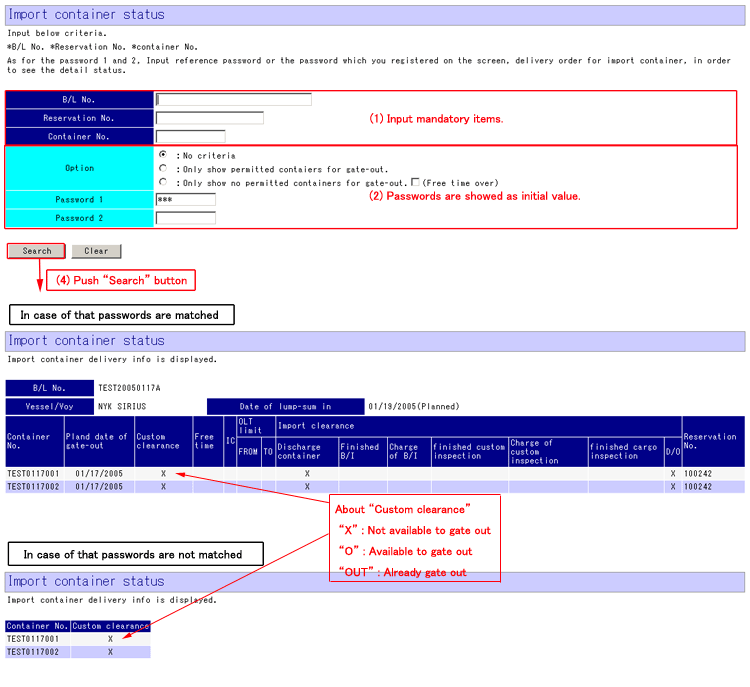
This screen will be appeared if “Import container
status” is selected from menu.
|
|
* Inquiry *
(1) Input one or more blue item to search.
[B/L No],
[Reservation No] or [Container No]
(2) [Option] to select data is optional.
(3) Initial value would be displayed at [Password 1] and [Password 2].
* Input the password you inputted at “Delivery order for
import container register”.
(4) Push “Search” button.
(5) Result of search would be listed in the screen.
* In case that password is matched, you can see the
detail. If password is not matched, only basic information will be displayed.
* Explanations for contents *
[Search button] To search delivery order information with items you inputted
at top of screen.
[Clear button] To erase all items.
|
|
|
|
Top of this page
|
|
[3] Export container status
|
|
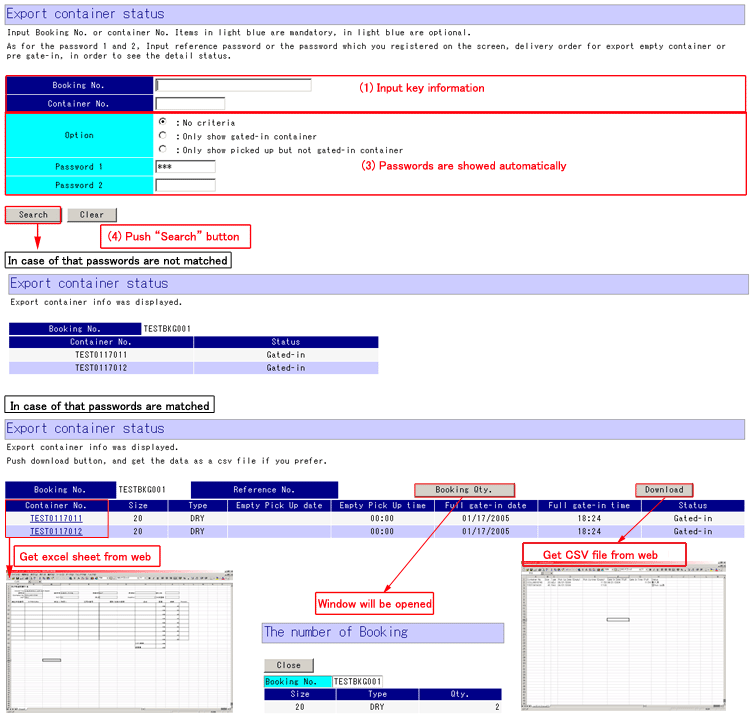
This screen will be appeared if “Export container
status” is selected from menu.
|
|
* Inquiry *
(1) Input one or more blue item to search.
[Booking No] or
[Container No]
(2) [Option] to select data is optional.
(3) Initial value would be displayed at [Password 1] and [Password 2].
* Input the password you inputted at “Pre gate-in register”
or “Delivery order for empty container register”.
(4) Push “Search” button.
(5) Result of search would be listed in the screen.
* In case that password is not matched, export
container status would not be appeared.
* You can see the
status of container which has reservation for “delivery order for import
container” or “pre gate-in”.
* Explanations for contents
[Search button] To search delivery order information with items you inputted
at top of screen.
[Clear button] To erase all items.
* Explanations of contents for result list screen.
[Container No] To get excel sheet for CLP from web.
[The number of Booking] To show the number of booking with other window.
[DOWNLOAD] To get the list of result in this screen from web.
|
|
|
|
Top of this page
|
|
[4] Comment register
|
|
|
* Comment *
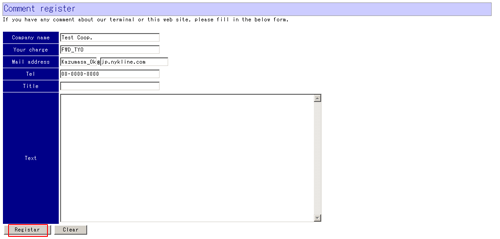
Input items in screen, and then push “Register” button.
|
|
Top of this menu
|